Webhook
Choose where we send your events, such as incoming Messages and delivery updates.
Your Webhook is one web address (URL) on your server. Whenever something happens, for example a Message arrives on one of your Devices, we send the details to that address. Then your software doesn't need to keep asking.
Owners and Tenant Admins can set the Webhook.
Set it up
- Go to Webhook.
- Enter the Webhook URL, for example
https://your-site.com/whatsapp/events. It must start withhttp://orhttps://and be reachable from the internet. - Enter a Signing secret: a long random text that only you and we know.
- Choose Save.
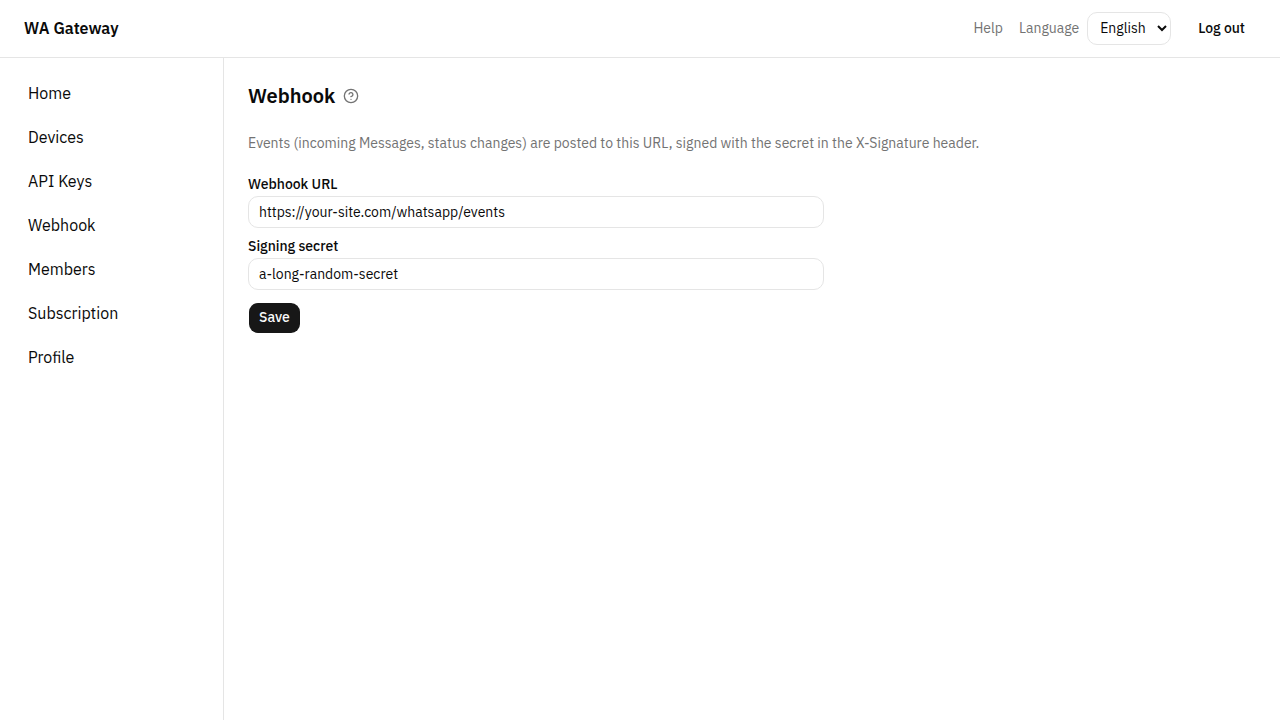
Each Tenant has one Webhook, used for all of its Devices.
What we send
| Event | When |
|---|---|
message.received | Someone sent a Message to one of your Devices. |
message.status_changed | A Message you sent was delivered or read. |
device.status_changed | A Device was logged out. |
We sign every event with your secret, so your software can check that it really came from us. If your server doesn't answer with success, we try again a few times. The Webhook API reference has the exact content of each event, the signature check and the retry rules.