Subscription and Quotas
What your Plan allows, how to pay, and what happens when a Subscription ends.
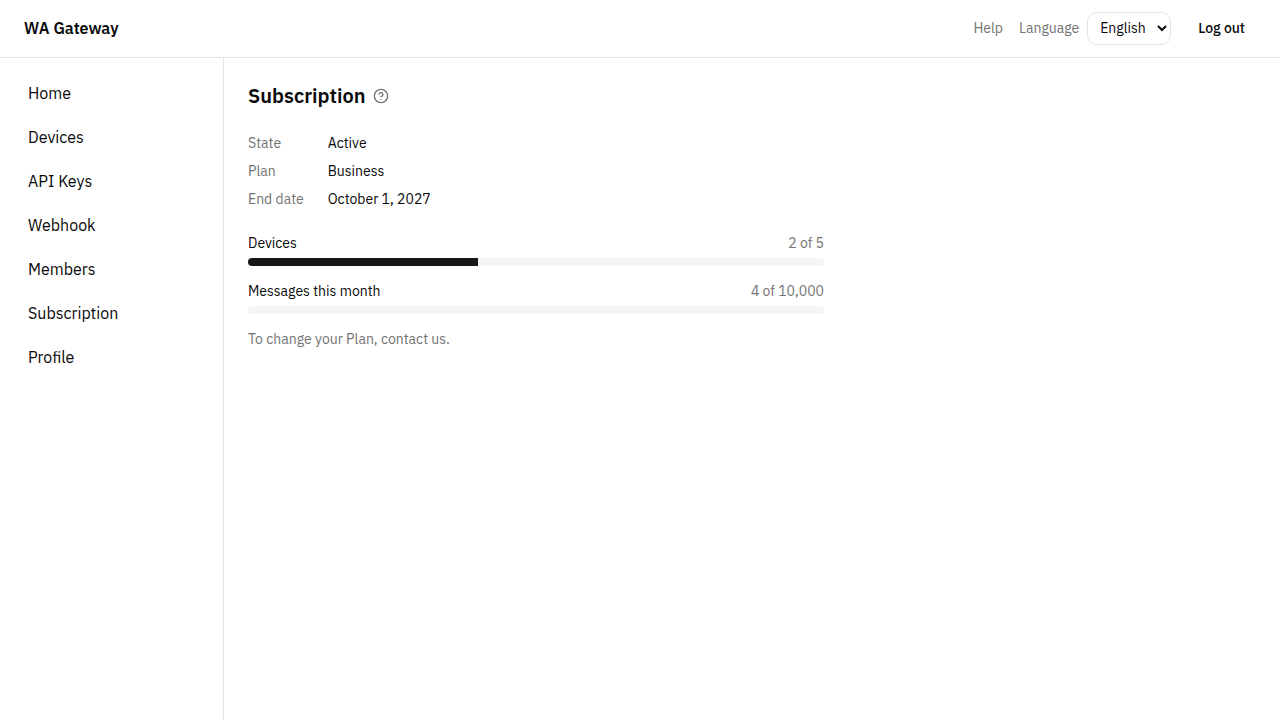
To send Messages, your Tenant needs an active Subscription to a Plan. Each Plan has two Quotas:
- Devices: how many WhatsApp numbers you may link.
- Messages per month: how many outgoing Messages you may send in a calendar month.
Owners and Tenant Admins can see the Subscription by choosing Subscription in the menu.
Subscribe, renew or change Plan
Contact us, and we activate your Subscription as soon as payment is received. There is no automatic renewal.
- Email: support@example.com
- WhatsApp: +9665XXXXXXXX
- Payment: Bank transfer (we send you the account details when you contact us)
When you change Plan, the new one replaces the old one from its start date. The Messages you already sent this month still count.
How Messages are counted
- Every outgoing Message we accept for sending counts, test Messages included.
- Incoming Messages and Messages that failed don't count.
- The count starts again on the 1st of each month (Riyadh time).
When the monthly Quota is reached, sending stops until the next month or a Plan upgrade. Your API then answers 429 with "Monthly Message Quota reached".
When a Subscription ends
- Sending stops on the end date. Your API answers
402with"No active Subscription". - Your Devices stay linked, and you keep your Messages, API Keys and Webhook.
- Owners get an email 7 days before the end date and another when it ends.
- For 7 days after the end (the Grace Period), the page shows "Grace Period (ended, sending stopped)". Renew to send again.
Without a Subscription you can still add, link and unlink Devices. Only sending needs one.